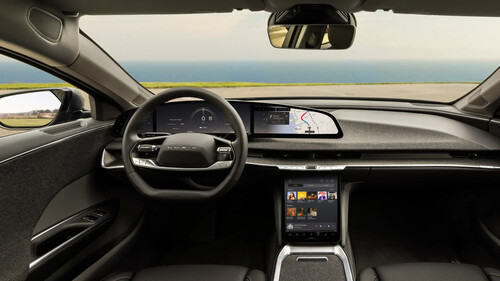
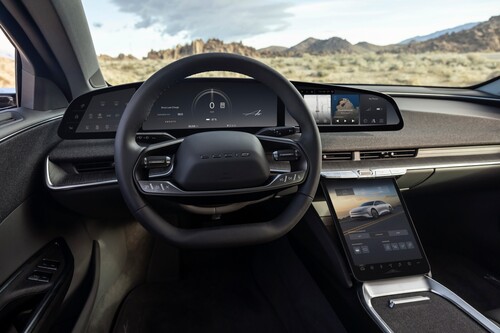
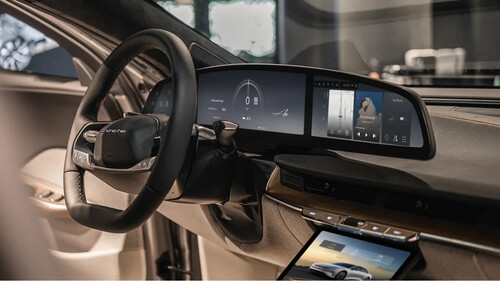
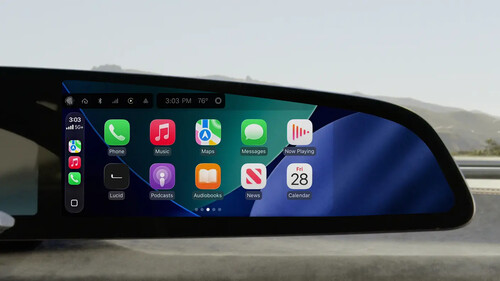
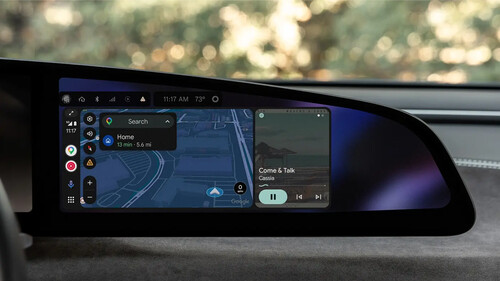
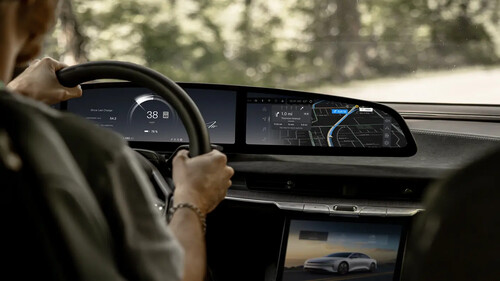
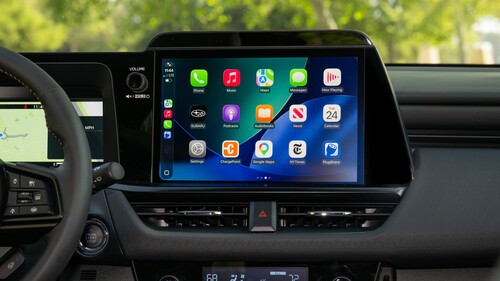
Dmytro Sheremeta/ShutterstockWhatever our opinions on the matter, the fact is that screen-based infotainment systems (often with prominent, big screens and no physical controls) have become nearly ubiquitous in new cars. It's easy to see why, too: it's just so convenient to have a central area that displays important information about the vehicle, manages climate controls, houses the vehicle's digital settings, and streamlines radio and Bluetooth controls.However, if you have an older car with an outdated infotainment system, using it might feel like more trouble than it's worth, and cars that were built before the United States began mandating rearview cameras in 2018 may not have a usable screen at all. If you're in this position, it might feel like new car technology has left you in the dust, turning your perfectly functional, fun, and — most importantly — paid-off car obsolete, but that doesn't have to be the case. Don't panic-buy a new car just yet. Just like we were modding, upgrading, and hacking radios and cassette players in the pre-screen days, you can upgrade your infotainment screen or add an entirely new one to bring modern infotainment features to your older car.Your best options depend on your use case, budget, and willingness to open up your dashboard and do a little bit of automotive surgery. In general, the easiest and cheapest method of updating your infotainment system is to use a phone mount, but this really only works for navigation and audio, and it has its drawbacks. More ambitious modders might consider adding a bigger portable screen that can handle more apps and offers more functionality. If you won't settle for less than the whole shebang, you'll need to replace your head unit, which requires more time, effort, and money.AdvertisementAdvertisementRead more: These Are The Worst Current Automotive Trends, According To YouThe magic of a trusty phone mountBy Sonmez/Getty ImagesAnyone who's hopped in an Uber or a Lyft in the last 10 years has almost certainly encountered a driver using a phone mount. These mounts are convenient for rideshare drivers, who accept and manage rides and receive routes through a phone app and therefore need to have constant access to their mobile, but mounted phones don't have to be just for rideshare drivers. It's easy enough to buy a phone mount and set up an impromptu infotainment system of your own.Mounts typically attach to the dash via a clip on a car vent or to the windshield via a suction cup, though you can also find adhesive mounts, cup holder mounts, and magnetic mounts. It's basically dealer's choice here; pick the look and function that works best for you, as any of them will get the job done. Just make sure you have a way to keep your phone charged, usually through a 12V power outlet or USB port, and a way to link your phone to the car's audio system through Bluetooth or an aux cable. Just be careful: a phone mount may tempt you to text while driving, which is banned in 49 states for good reason.This type of setup is fairly basic. It'll get you maps, albeit on a small screen, and music and calls, but there's not a lot of functionality otherwise. You could try to turn a dedicated mounted phone into a full-time infotainment screen, but you wouldn't be the first, and, according to The Drive writer Lewin Day, it doesn't work all that well. If you want an honest-to-goodness infotainment experience in your car, you'll have to look elsewhere.CarPlay screens are a thing, and they're kind of basedAndresr/Getty ImagesWhether looking at a map on a phone screen causes you too much eye strain or you just want more practicality and functionality than a mounted phone offers, the next best (or maybe just best) option is to purchase a CarPlay screen. These dedicated screens are designed explicitly as aftermarket infotainment systems for cars without the bells and whistles of a modern infotainment setup, and they can bring both Apple CarPlay and Android Auto to your vehicle, depending on the model. Installing a CarPlay screen is typically more expensive than simply mounting your phone, but the screens only break the bank if you want them to. Many units cost somewhere in the range of $100 to $200, and a few can be had for under $100.AdvertisementAdvertisementSimilar to phone mounts, CarPlay screens can be mounted on the windshield or dash, and they connect to your stereo via Bluetooth or a cable, depending on the unit and your vehicle's capabilities. Installation only takes minutes. They come pre-installed with Apple CarPlay or Android Auto for phone mirroring, offering the full functionality that apps would provide on a native infotainment screen. Your phone connects directly to the unit, too, minimizing cable clutter. The bigger screen means they're easier to navigate than a phone, and the map will be easier to see.You can access the full gamut of apps that CarPlay and Android Auto are compatible with, including Google Maps alternatives, music, audiobook apps, and the like. Importantly, not every unit offers both Android Auto and Apple CarPlay compatibility, so verify that your unit works with your phone's operating system before buying. No one can stop you from replacing the head unitDedMityay/ShutterstockMaybe you're the type of person who thinks phone mounts and external screens look ugly and interrupt the smooth lines of your dash. Maybe you have an old infotainment system that has a screen but not Android Auto and just want to replace it. Or maybe you're just a glutton for punishment. Whatever the case, no one can stop you from simply replacing the entire head unit and installing exactly the type of screen you want. Depending on your needs, though, this may be a high-effort, high-cost, and low-reward endeavor. Anyway, before you jump into the deep end, remember that you can add Android Auto to an old car without switching to a new head unit.Most new head units you'll find today are double-DIN units, which means that old cars with single-DIN openings won't be compatible without modification. You'll probably have to pay more if you want to install a new screen, and the process of replacing a head unit is a bit involved if you're DIYing it. The first hurdle is finding a unit with the screen size you want that's compatible with your car. Then you'll have to pry out any vents, ashtrays, and screens already in your center column, unbolt the current head unit, remove the wiring, and reinstall everything.AdvertisementAdvertisementIf that's your idea of a good time, technically no one can stop you from doing it. YouTuber Practical Mechanic has a detailed video about adding a 10-inch screen to a 2004 Honda Accord, so you know it's possible. But is it really worth it? Don't jump the gun on a fritzing or unresponsive touch screenISEN STOCKER/ShutterstockJust because your touch screen is unresponsive or glitching doesn't mean it necessarily needs to be replaced. If your screen has frozen or gone dark, there are several things you should try before resorting to replacement. Oftentimes, it's an issue with the software or the connection to your phone, rather than an issue with the screen itself. Try disconnecting your phone, updating your infotainment software, and restarting the car. You may also want to restart your phone just to be thorough.If that doesn't work, you may need to recalibrate your screen or even reset it to its factory default settings. The recalibration and reset methods vary by car, so you'll need to search for your specific model's instructions online or in the owner's manual. For example, to reset the factory settings on many Hyundais, you'll need to hit the reset button, which is found recessed in a small hole near the screen. Meanwhile, Rivians require you to simultaneously push and hold the outer buttons on either side of the steering wheel for 15 seconds.Consumer Reports has gathered many reset methods for ease of research. If the above methods don't work, you may have to bite the bullet and call a dealer or a service center to run diagnostics on the screen.AdvertisementAdvertisementWant more like this? Join the Jalopnik newsletter to get the latest auto news sent straight to your inbox, and follow us or add us as a preferred search source on Google.Read the original article on Jalopnik.