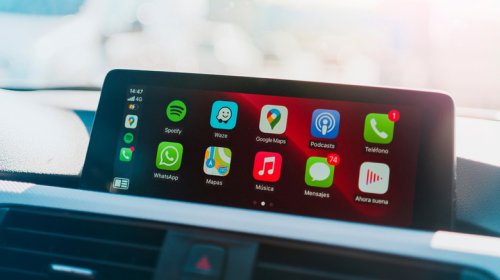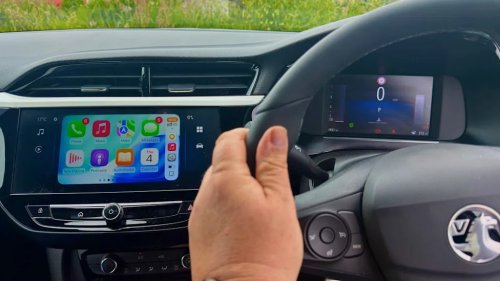
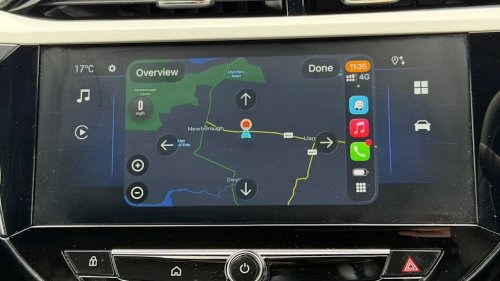
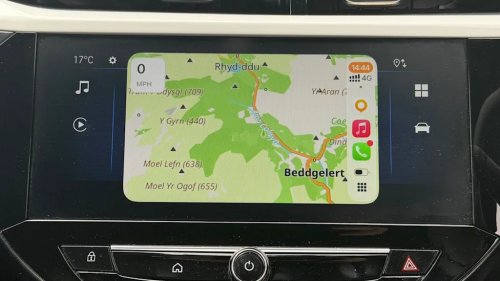
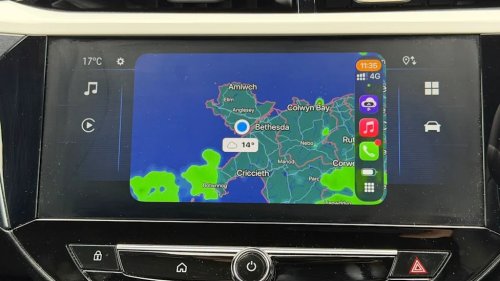
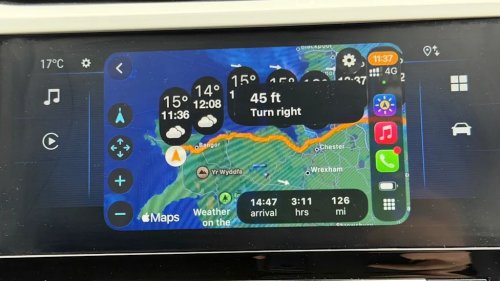
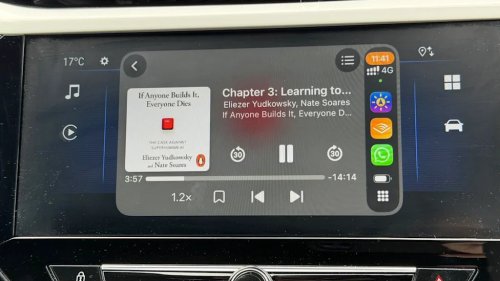



















I drove 25,000 miles with CarPlay last year - here are the apps I used most (and why)ZDNET's key takeawaysCarPlay makes iPhone apps easier to use in the car.Keep your focus on driving, not apps.Most CarPlay apps mirror the apps on your iPhone.I like driving, which is a good thing since I live in a rural area. Whether it's work trips or traveling to some remote trailhead to get a few days away from it all (my latest obsession is section hiking Hadrian's Wall), I spend a lot of time behind the wheel. Over the past 12 months, I've covered more than 25,000 miles. That's a lot of time in the driver's seat, and plenty of time to find the very best apps to help make whatever trip I'm on as quick, easy, and painless as possible.Also: Your car's USB port is seriously underrated: 5 creative ways I'm using mineAdvertisementAdvertisementSince I'm an iPhone user, my platform of choice is CarPlay (except for the few times when CarPlay decided that it just wasn't going to work, and I had to dig out an old handset and hope I could get Android Auto to work), so that's the platform I'll be covering here.If you're an Android user, you might be lucky and find that the app I've looked at here is available in the Google Play Store.Oh, and ignore the fact that I seem to be on the wrong side of the car. I'm in the UK, and we sit and drive on the opposite side.My driving philosophyBottom line: Driving can go from smooth to dramatic to scary in the blink of an eye, and as such, it's an activity that deserves to command the majority of your attention. That means that fiddling with apps has to be kept to an absolute minimum.AdvertisementAdvertisementAlso: I've used Android Auto with Gemini for 2 months now - it's transformed my drives in 4 waysI highly recommend pulling over somewhere safe to do anything beyond tapping a button or two, or giving Siri a voice command. The apps I useI have dozens of apps on my iPhone, but only a small number of those have a CarPlay variant, and of that subset, it's an even smaller number that I find in any way useful when on the road.Don't want some pointless app cluttering up your CarPlay screen? You can get rid of it easily -- on your iPhone, tap on Settings, then CarPlay, select your vehicle, and tap Customize. From here, you can get rid of an app by tapping the red circle next to its icon, or you can move it to a different position by dragging and dropping it.AdvertisementAdvertisementAlso: Your car collects a lot of data about you - 5 expert tips to restore your driving privacyIt's also worth keeping in mind that the CarPlay experience isn't going to mimic the experience you get on your iPhone. First of all, the user interface will be stripped down, and there will be a lot of reliance on Siri. Other apps, such as video conferencing apps like Microsoft Teams and Zoom, will be limited to audio-only.Another consideration is that you'll be using the cellular network while you're traveling in a metal box at up to 85 mph, so connectivity issues, especially when you're going from one cell to another, are a concern. So don't expect things to be perfect all the time.In fact, plan on it.AdvertisementAdvertisementWith all that out of the way, here's my selection of apps, broken down into categories, along with a few alternatives for some that are suited to specific uses.NavigationI'm not getting myself into the Waze vs. Google Maps vs. Apple Maps debate here. And don't get me started on all the other excellent apps that exist, such as TomTom, MapQuest GPS and Navigation, and InRoute.The app I use the most -- Waze.Adrian Kingsley-Hughes/ZDNETThey're all good. Picking a favorite is a bit like trying to pick the place with the best cherry pie or burgers. We all have our favorites and are likely not going to be swayed by another opinion.Also: 4 Android Auto developer settings that make driving so much easier - how to enable themAdvertisementAdvertisementMy advice here is to find one that you find works for you -- for me, it's Waze. I've been using it for years, and while it does have its limitations, it's pretty bombproof -- and have a backup for when your main pick decides to be stupid (like when the other day Waze would only show me a blank map, and I had to switch to Google Maps).Need a navigation app that works offline or when you're driving off-road? Then you need to take a look at OsmAnd Maps.OsmAnd Maps is great if you want offline and off-road capabilities. Adrian Kingsley-Hughes/ZDNETThis is not your regular mapping tool, and it is packed with features that you won't find in regular navigation apps. This one not only gives you offline maps, but also things like counters, hill shading, and 3D building support. It's not only aimed at drivers, but also cyclists and hikers, and it also allows you to display, record, import, export, and navigate GPX files, making it a very powerful tool indeed. But with power also comes a learning curve, so get used to this app before you set off!Also: 6 Android Auto apps I wish I found sooner, because they make every drive easierAdvertisementAdvertisementNote that you need a paid subscription to use this app via CarPlay, but in my experience, it's definitely worth it for off-roading.WeatherWhen behind the wheel, there's nothing that can turn your trip from fun to frustrating faster than a bit of a swing in the weather. I like to keep an eye on the weather when I'm driving, but rather than a complete overview of what's going on, I only want to know about the weather where I am, and what it's going to be along my route at the time I'm estimated to be driving through that spot.Carrot Weather is a powerful, all-around weather app.Adrian Kingsley-Hughes/ZDNETThere are two apps that I switch between.There's Carrot Weather, which is a powerful weather app with a highly customizable personality that you can set to be sarcastic, professional, or even profanity-laden (if that's your thing). It can also be customized to draw from a variety of weather sources. Carrot is my go-to weather app on my iPhone, on my Apple Watch, and when using CarPlay.Weather on the Way is a very specific yet highly useful app that lets you keep an eye on the upcoming weather.Adrian Kingsley-Hughes/ZDNETThe other is Weather on the Way, an app that, as the name suggests, shows you the weather on the route you're on. I tend to use this app for a quick overview of the weather at the start of a journey, and I've found it to be very reliable.Music and audio entertainmentWhatever your app of choice for playing music on your iPhone -- Apple Music, YouTube Music, Amazon Music, SiriusXM Radio, or Spotify, to name but a few -- is probably going to be the app you're going to use in the car.AdvertisementAdvertisementMy advice is this -- make use of playlists and stations, because prodding around on the user interface looking for specific songs is going to be a no-go when on the move.Also: Google Maps vs. Waze: I've driven with the two best navigation apps, and one is much betterCan't be bothered being a DJ and driving at the same time? Apple Music has a feature called SharePlay that lets other iPhone users in the car take control of the tunes. It's a super handy feature that can be a lot of fun.But there's more to life than music. You have podcasts and audiobooks. I'm not much of a fan of podcasts, so for me, the Podcast app is good enough, although I know a lot of people who swear by Pocket Casts, Overcast, and Downcast.I've spent hundreds of hours listening to my vast Audible library.Adrian Kingsley-Hughes/ZDNETAs far as audiobooks are concerned, I've been an Audible subscriber for longer than CarPlay or the iPhone have existed, so you'll have to tear that app out of my cold, dead hands, but some good alternatives are Kobo Books and Google Play Books.AdvertisementAdvertisementAlso: Google Maps vs. Apple Maps: I compared two of the best navigation apps - here's my pickIf you want to use your own audio files, BookPlayer is a great way to organize and access them, while Libby, the library app allows you to borrow digital audiobooks directly from your local library for free using your library card.Fuel and EV chargingI tend to use Waze or Google Maps to find nearby gas stations, because I don't really want to be futzing with yet another app.Also: 10 Google Maps settings I always change to greatly improve its usability - and you should, tooBut if you want to take a deeper dive into pricing and such, there's GasBuddy, which uses crowdsourced pricing data, and ChargePoint if you drive an EV.ParkingAgain, for me, Waze does a good job of finding me a convenient place to park at my destination.AdvertisementAdvertisementAlso: Master your navigation: 41 hidden Google Maps settings you should knowBut if you want a dedicated app for the job, you could take a look at EasyPark (which focuses more on everyday on-street parking, and also does EV charging) and SpotHero (which is tied to prebooking spaces in commercial garages).Other appsThere are a few other apps that I use sporadically when on the move.Telegram: Secure communications.WhatsApp: Random audio calls and messaging.ChatGPT: I use this when driving to give me an overview of something I'm pondering.ZDNET and Yahoo may earn commission from links in this article.